Virtual abaya try-on app for iPhone
See it on you
before you spend a dollar
Every abaya you find online, on your own body. Paste the link or the screenshot, add one photo of yourself, and see the picture — with your face, your covering and your shape exactly as they are.
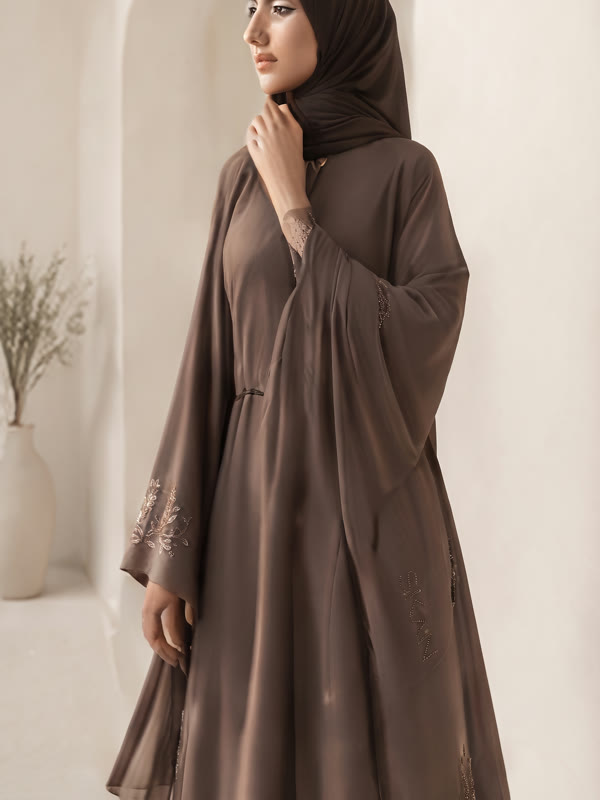
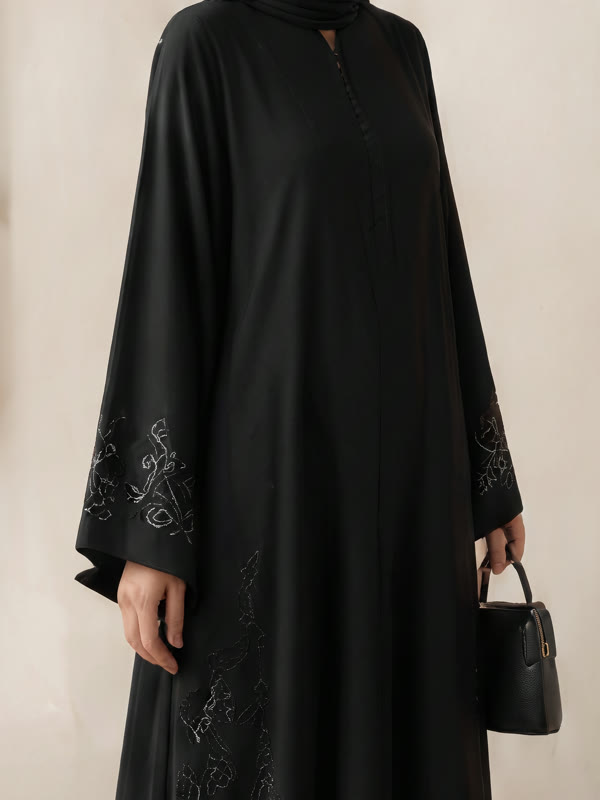

Any of these, from any shop, on you — in about forty seconds.
Three steps. About forty seconds.
Nothing to set up and no account needed. The photo never leaves your phone until you ask for a look, and it is not kept afterwards.
Pick the abaya
Paste a product link, drop in a screenshot from Instagram, or choose from the rack in the app. Any shop, anywhere.
One photo of you
Head to feet, standing, facing the camera. It is checked on your phone before anything is sent — feet and shoulders in frame, even light.
See it on you
The picture is compared against your own photo before you see it. If anything about you changed, it is thrown away and made again, free.
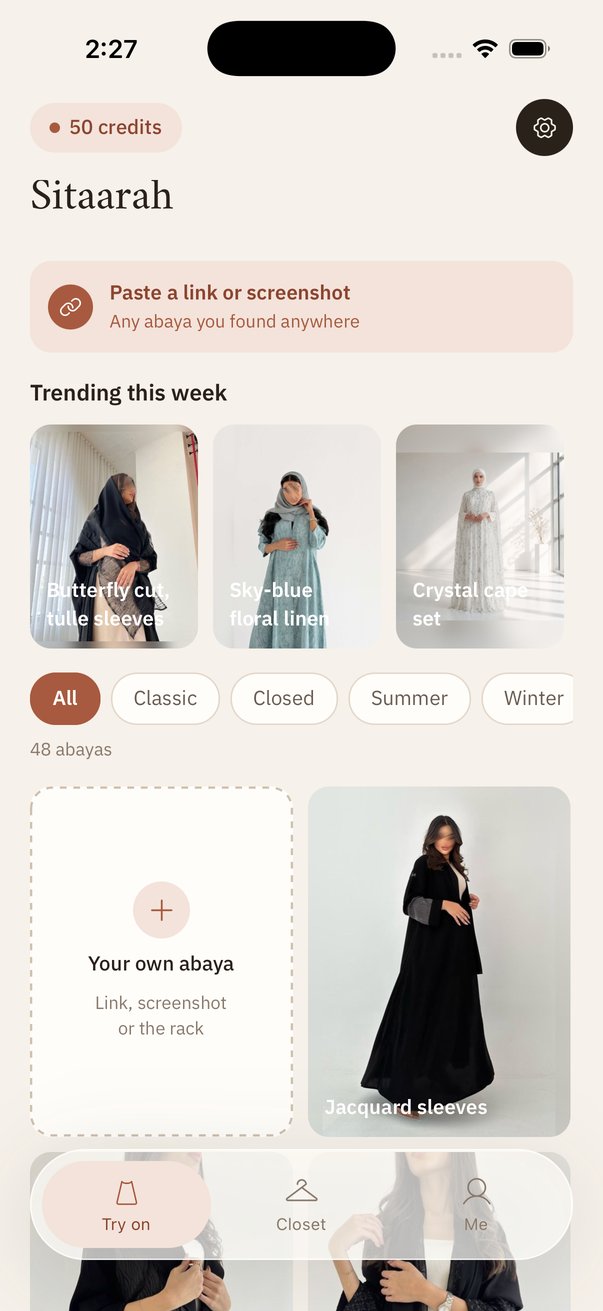
The abaya is wherever you found it.
Sitaarah is not a shop. It works with the one you are already looking at — the Instagram seller, the Shopify boutique, the rack at the Eid bazaar.
Questions
How do I take the photo?
Head to feet, standing, facing the camera, in even light. Prop the phone and use the timer, ask someone, or use a mirror with the phone held low. Anything where we can see both feet and both shoulders will work.
Why was my photo rejected?
Because we could not see enough of you to place the garment honestly — usually the feet are out of frame, the shoulders are cut off, or it is too dark to find your edges. The check runs on your phone, so the photo was never sent anywhere.
What happens to my photos?
They stay on your phone. A photo is sent to the renderer to make the look you asked for, held in memory for the seconds it takes, and is not stored by us afterwards. Nothing of yours is used to train any model. You can delete everything, on your phone and on our server, from inside the app.
How good are the pictures?
Good enough to decide on. A try-on is a picture, not a fitting: it shows how the abaya might look on you, and it cannot tell you how it will fit or how the fabric feels. If a picture breaks the promise, tell us and the credits come back.
How do I cancel?
Settings on your iPhone → your name → Subscriptions → Sitaarah AI → Cancel Subscription. It is an ordinary App Store subscription, so Apple can always see it and always cancel it. We never bill you anywhere else.
Something else? Write to us — a real person reads every message and usually replies within a few hours.
See your first abaya on you.
Your first look is free, made from your own photo, and yours to keep.
Download on the App Store